Commands
Template Registration
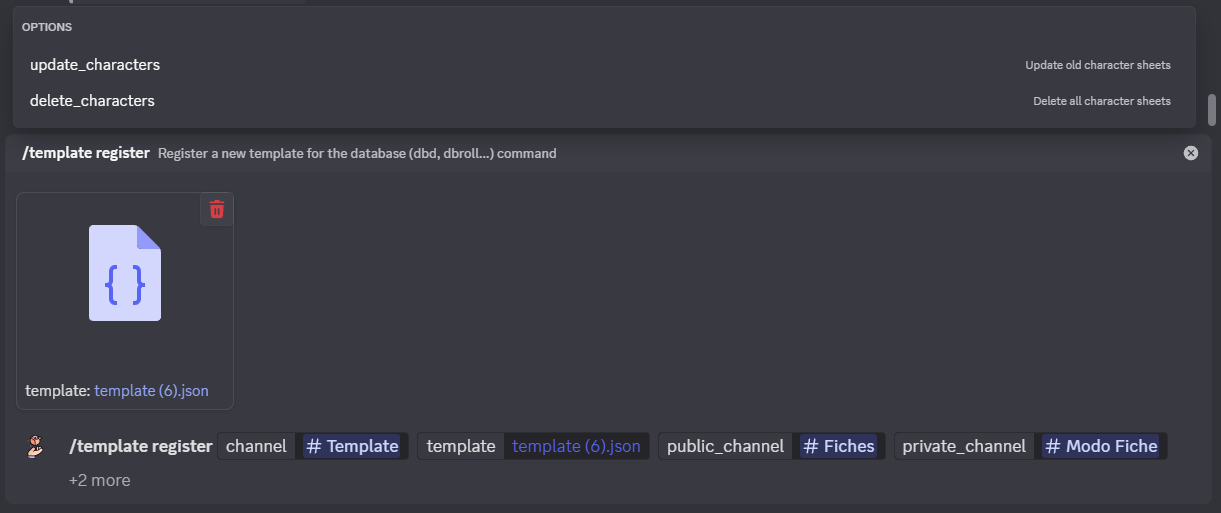
/template register [#channel] [file] (#public_channel) (#private_channel) (?update_characters) (?delete_characters)
#channel: Channel where the template will be sent (used for sheet creation).[file]: Previously created JSON file.#public_channel: Channel where the character sheets will be published.#private_character: Channel for private sheets (see box below).?update_characters: Updates all existing character sheets if they exist.?delete_characters: Deletes all existing character sheets if they exist.
If the sheet is not marked as private but is published in a channel that users don’t normally have access to, they will still be able to view the sheet using the <mark>/show``</mark> and <mark>/graph``</mark> commands.
The embed will be pinned for easier access.
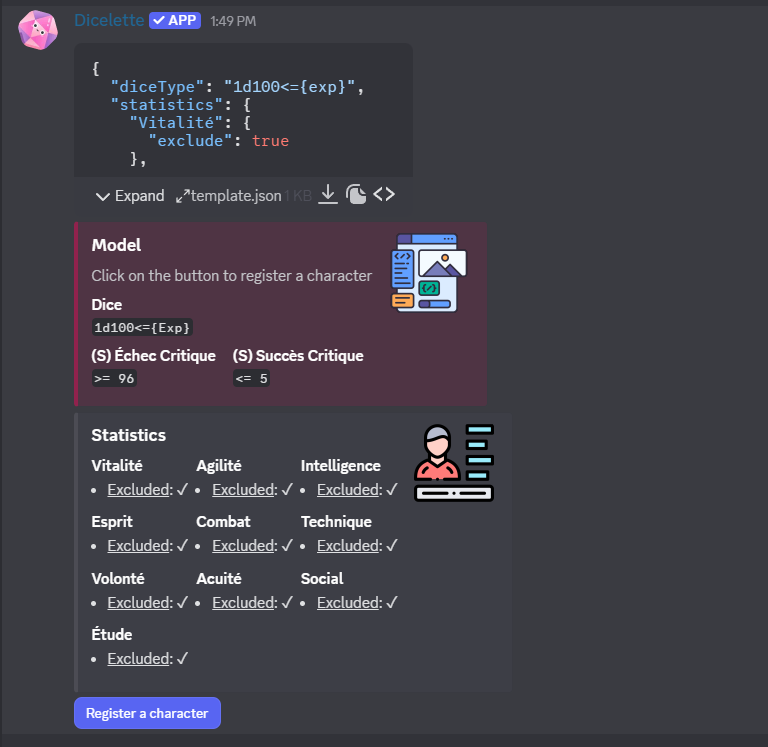
You must re-register the template if you want to change the default channel for public or private sheets. However, the registered user does not need to be re-registered, since the channel and message ID are saved in the database.
To move all sheets to another channel, use the <mark>/export``</mark> command.
Editing
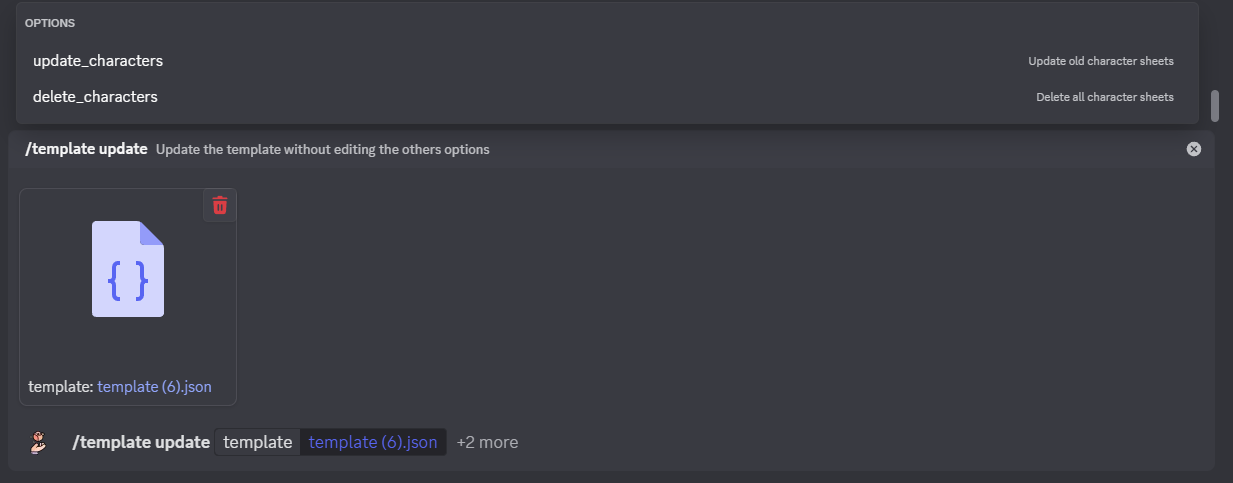
To modify the template, you can use the <mark>/template update</mark> command.
This command allows you to upload a new JSON file that will replace the existing template. Unlike the previous command, it retains the different channels.
/template update [file] (?update_characters) (?delete_characters)
[file]: JSON file?update_characters: Updates all old character sheets.?delete_characters: Deletes all existing character sheets.
Delete
Allow to delete the template and all associated data without using the message.
/template delete (?delete_characters)
?delete_characters: Deletes all existing character sheets.
The message template will be deleted by the command if possible (message not deleted, accessible by the bot…)
<small>For more information on field syntax: see dedicated page.</small>